In my previous post, I shared how I built Treso, a secure expense tracking REST API using Spring Boot, and deployed it using Docker and AWS EC2. While that setup worked great, managing containers with manual docker run commands and custom networks isn’t how large-scale cloud applications operate today.
To level up my infrastructure skills, I decided to migrate Treso to a fully Cloud-Native architecture using Kubernetes.
This post covers my journey from imperative container management to declarative orchestration.
💡 Why Migrate to Kubernetes?
The goal wasn’t just to use a buzzword. I wanted to solve real infrastructure problems:
- Fragile Boot Sequences: Spring Boot would crash if it started before Postgres was ready to accept connections.
- Manual Networking: I had to manually link containers and pass IP addresses.
- Hardcoded Secrets: Database credentials were being passed directly in run commands, which is a security risk.
🛠️ The Migration Steps
Phase 1: The Docker Compose Bridge
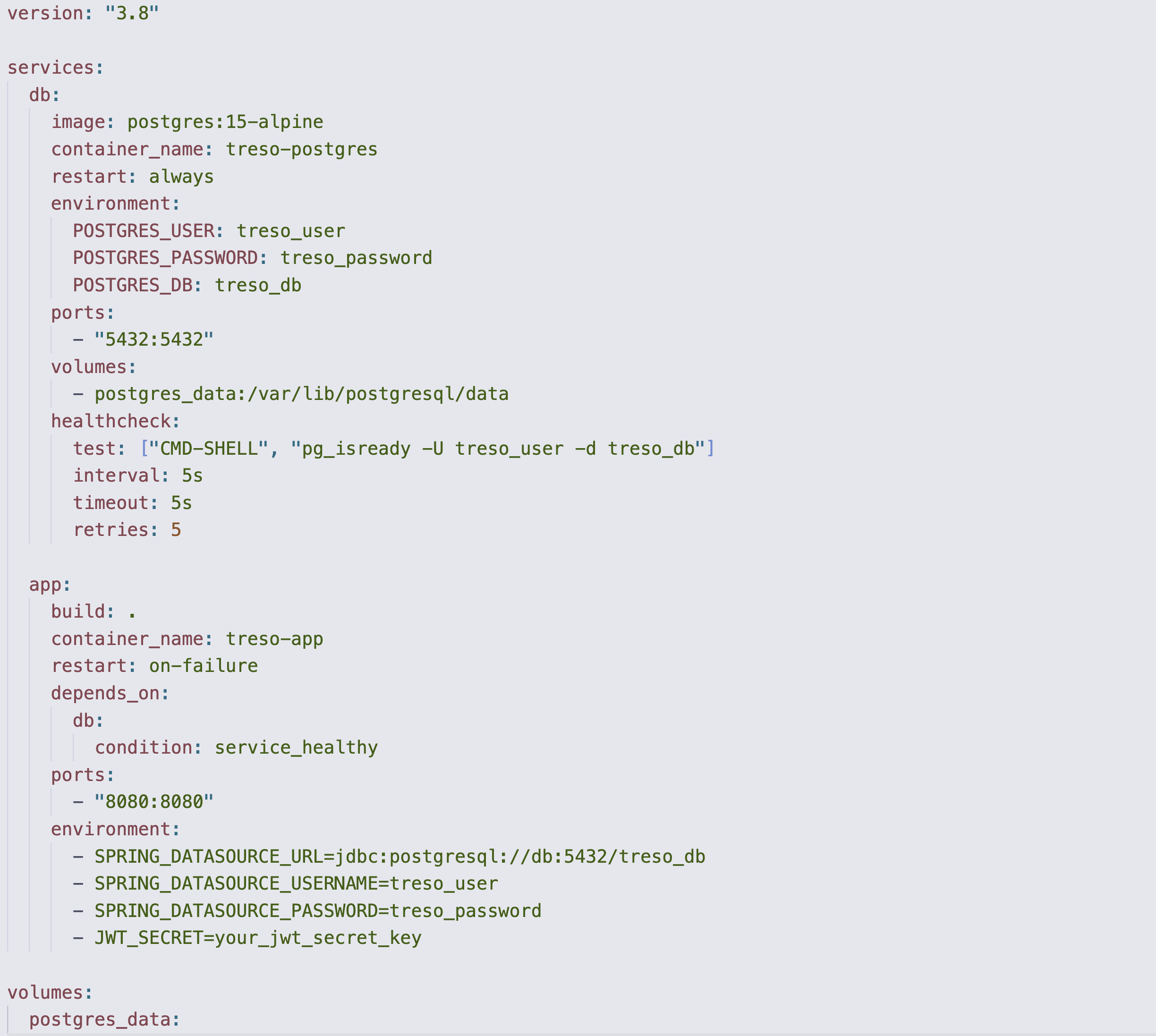
Before jumping into Kubernetes, I formalized my multi-container setup using docker-compose.yml.
The biggest win here was implementing health checks. I configured the treso-app service to depend_on the db service, but specifically required the service_healthy condition. This meant Docker would constantly ping Postgres (pg_isready) and completely hold off on booting the Java app until the database was fully initialized.
Phase 2: Translating to Kubernetes
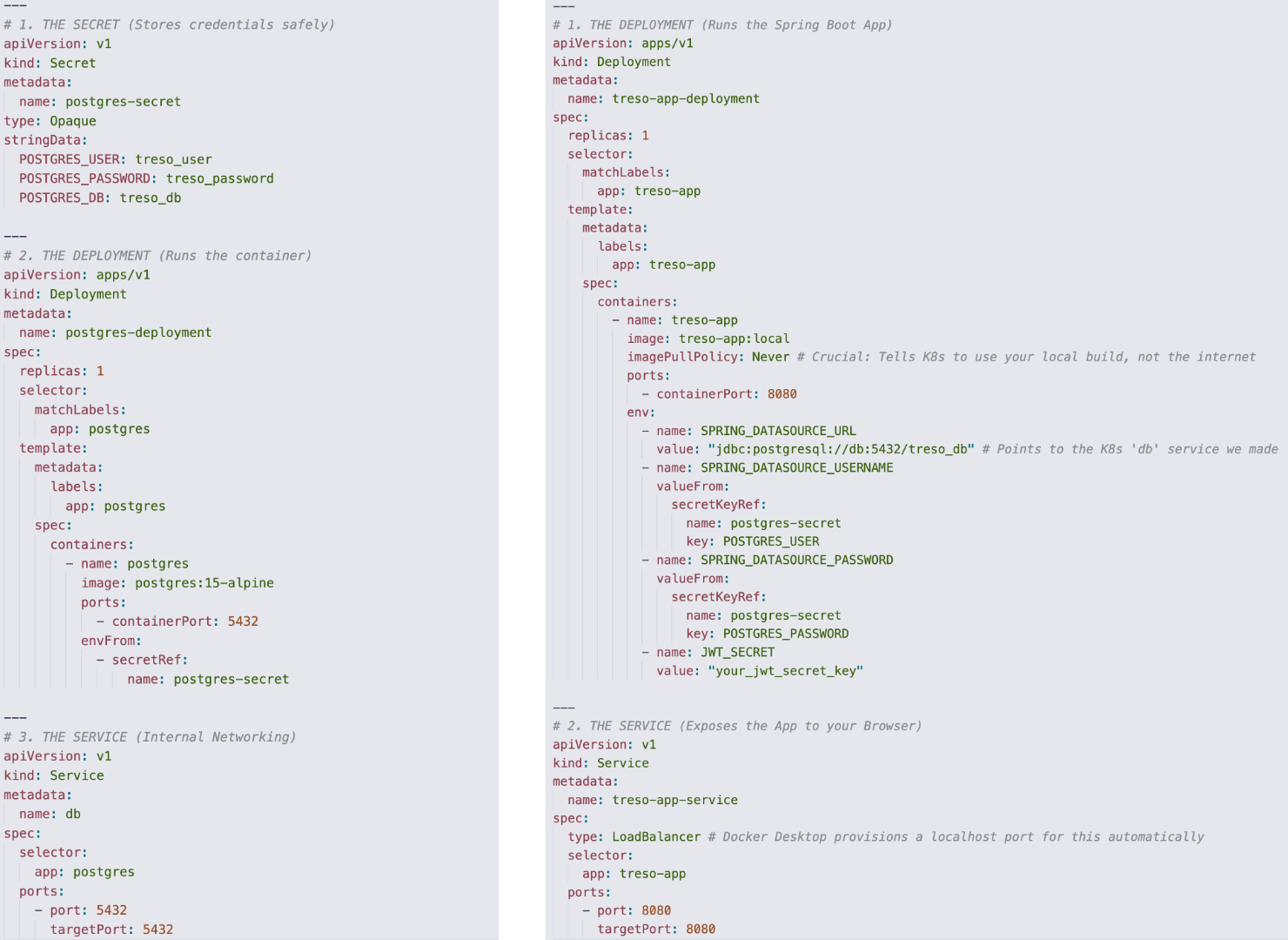
Once the Compose file was working, I spun up a local cluster using Docker Desktop and translated the architecture into Kubernetes manifests.
- The Database (Stateful): I created a Deployment for
postgres:15-alpineand exposed it internally using a ClusterIP Service nameddb. - The App (Stateless): I built a local Docker image of my Spring Boot app (
treso-app:local) and created a Deployment for it. I then exposed it to my local browser using aLoadBalancerService.
Phase 3: Testing the deployed APIs
Deploying the infrastructure is only half the battle; the real test is ensuring the application behaves exactly as it did before.
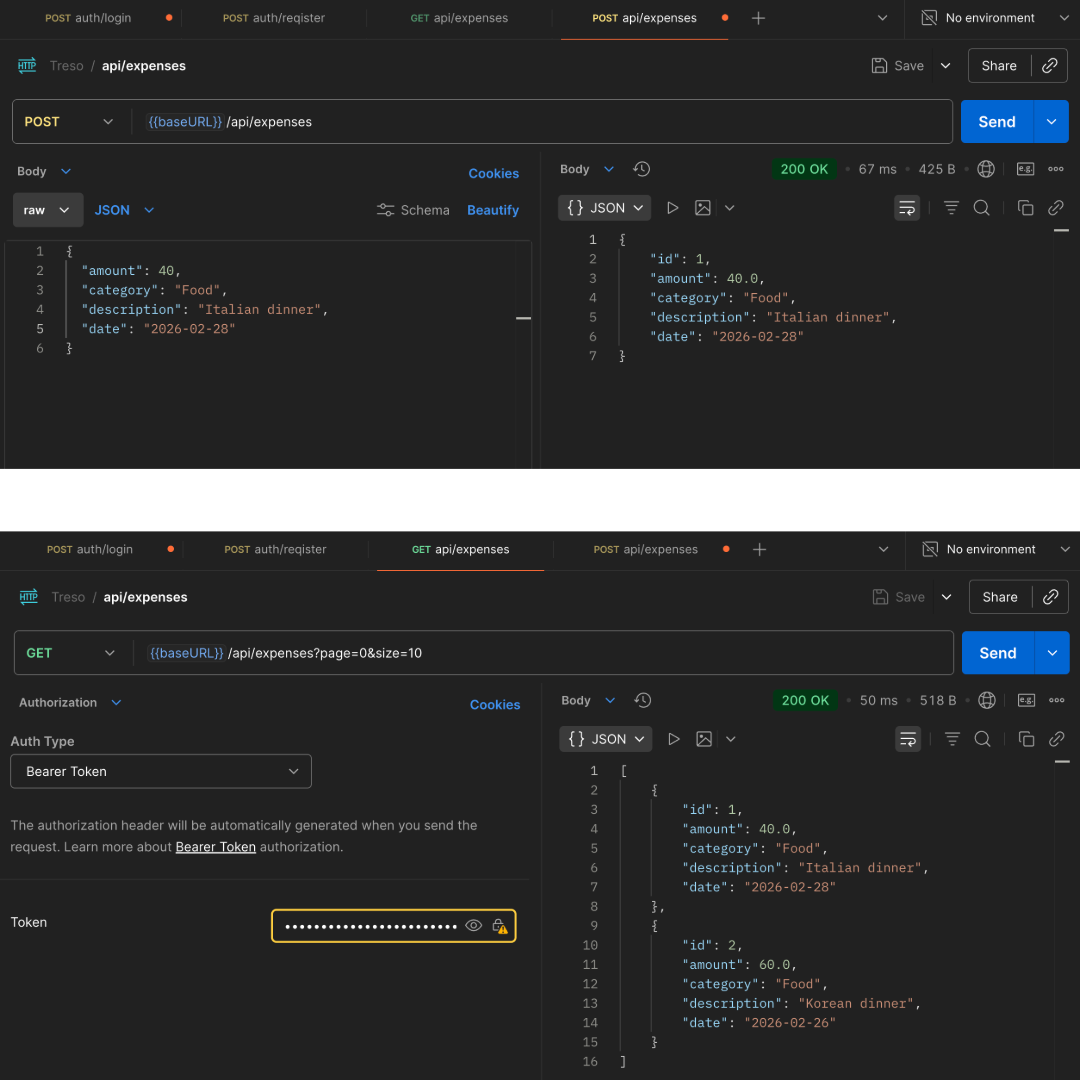
Once the pods were running, Docker Desktop’s LoadBalancer Service seamlessly mapped the internal cluster traffic to my local machine. I fired up Postman (and the built-in Swagger UI) at http://localhost:8080 to run through the core workflows.
As you can see in the screenshot below, everything worked flawlessly. The JWT authentication generated the token, and the CRUD operations for expenses successfully wrote to the ephemeral Postgres pod using the injected Kubernetes Secrets. To the end-user (or frontend client), the API feels exactly the same, but the backend is now running on a highly resilient, orchestrated cluster.
🧠 Key Learnings
1. Declarative vs. Imperative Infrastructure
This was the biggest mindset shift. With standard Docker, you give imperative commands (“Run this, then attach this, then expose this”). With Kubernetes, you write a YAML file declaring the desired state (“I want one Postgres pod and one App pod connected securely”). The Kubernetes Control Plane constantly works in the background to ensure reality matches that YAML file. If a pod crashes, K8s automatically spins up a new one.
2. 12-Factor App Compliance with Secrets
Instead of passing my database credentials directly into the container, I created a Kubernetes Secret. In my treso-app Deployment, I mapped SPRING_DATASOURCE_USERNAME to pull its value dynamically from that Secret. The application code remained completely untouched, but the infrastructure became infinitely more secure.
3. Internal DNS is Magic
Because I named my Postgres Service db, I didn’t need to figure out IP addresses. I just set my Spring Boot datasource URL to jdbc:postgresql://db:5432/treso_db. Kubernetes’ internal DNS automatically resolved the db hostname to the correct, actively running Postgres pod.
🔮 What’s Next?
Now that Treso is running on a resilient, cloud-native architecture, I am actively planning the next major expansion for the platform. Stay tuned for the next update!